> ## Documentation Index
> Fetch the complete documentation index at: https://docs.apiyi.com/llms.txt
> Use this file to discover all available pages before exploring further.
# How to view my call records?
> APIYI call log viewing guide, learn how to view API call records and billing details
## Access Call Logs
Go to the "Logs" page in top navigation: [https://api.apiyi.com/log](https://api.apiyi.com/log)
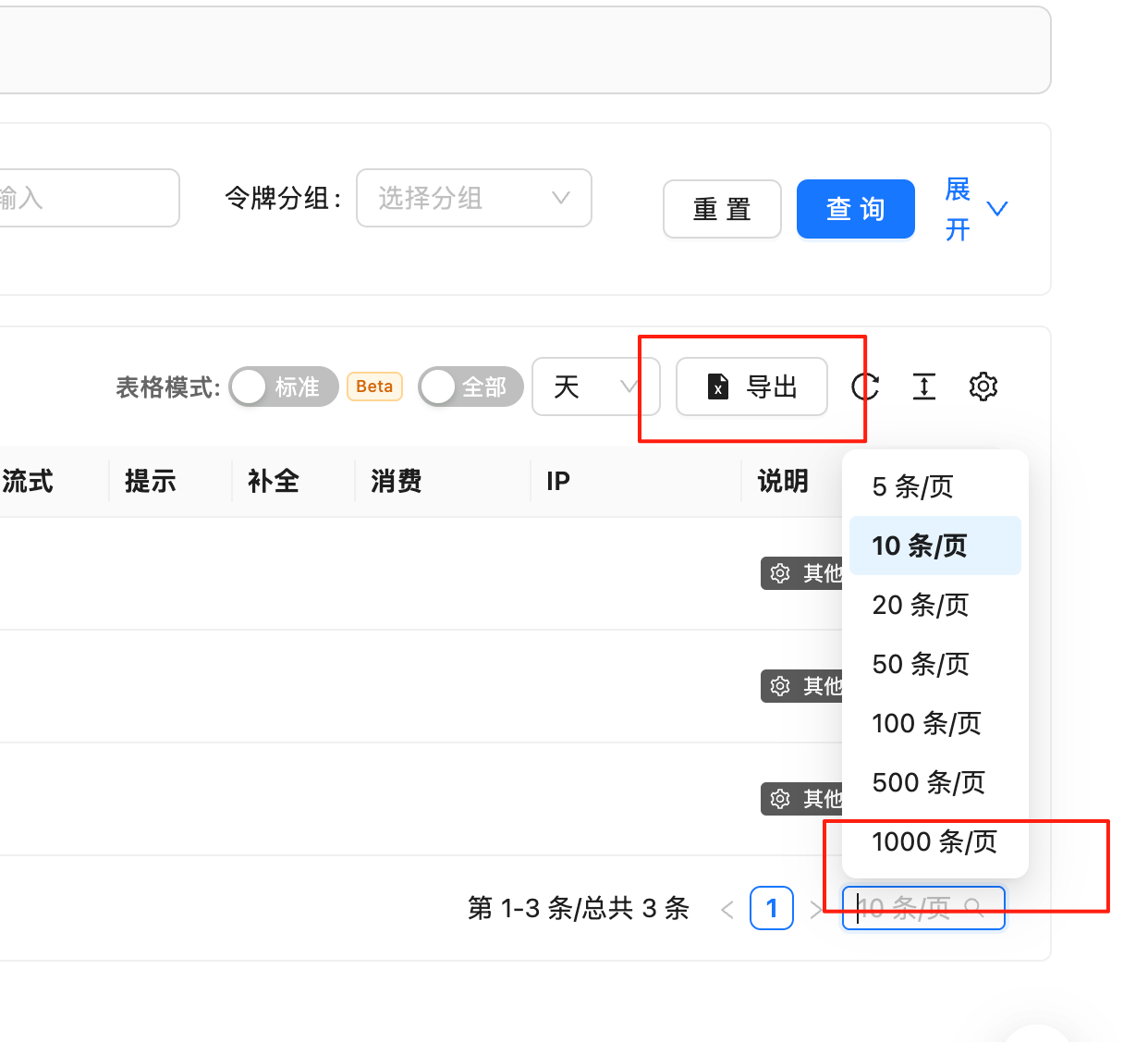
In the logs section, you can view:
* **Success record of each call**
* **Error logs of API calls**
* **Detailed billing explanations**
 ## Log Record Content
### Success Call Records
Each successful API request records the following information:
* **Request Time**: Call timestamp accurate to the second
* **Model Used**: AI model used for this call
* **Token Count**: Input and output Token quantity statistics
* **Billing Amount**: Specific cost of this call
* **Call Status**: Request execution status
### Error Logs
Failed API calls record:
* **Error Type**: Specific error classification
* **Error Message**: Detailed error description
* **Occurrence Time**: Error occurrence timestamp
* **Related Parameters**: Request parameter information that caused the error
## Privacy and Data Policy
**Data Privacy Protection**
For privacy protection and data storage cost considerations, our logging system:
* **Does not record detailed input and output content**
* **Only retains basic Token count information**
* **Stores only necessary log data required for billing**
* **Ensures user data privacy security**
## Log Viewing Tips
### Filtering Features
* **Filter by time range**: View call records for a specific time period
* **Filter by model**: View usage of specific AI models
* **Filter by status**: Distinguish between successful and failed call records
### Billing Analysis
* **Single call cost**: Specific cost of each API call
* **Token usage efficiency**: Input-output Token ratio analysis
* **Model cost comparison**: Usage cost statistics for different models
## Common Questions
### Why can't I see specific conversation content?
To protect user privacy and reduce storage costs, we only record basic information related to billing, not specific input-output content.
### How long are logs retained?
Call logs are retained long enough for you to verify bills and analyze usage. Please refer to Terms of Service for specific retention periods.
### How to export call records?
Currently supports online viewing. For batch export functionality, please contact customer service for more details.
## Log Record Content
### Success Call Records
Each successful API request records the following information:
* **Request Time**: Call timestamp accurate to the second
* **Model Used**: AI model used for this call
* **Token Count**: Input and output Token quantity statistics
* **Billing Amount**: Specific cost of this call
* **Call Status**: Request execution status
### Error Logs
Failed API calls record:
* **Error Type**: Specific error classification
* **Error Message**: Detailed error description
* **Occurrence Time**: Error occurrence timestamp
* **Related Parameters**: Request parameter information that caused the error
## Privacy and Data Policy
**Data Privacy Protection**
For privacy protection and data storage cost considerations, our logging system:
* **Does not record detailed input and output content**
* **Only retains basic Token count information**
* **Stores only necessary log data required for billing**
* **Ensures user data privacy security**
## Log Viewing Tips
### Filtering Features
* **Filter by time range**: View call records for a specific time period
* **Filter by model**: View usage of specific AI models
* **Filter by status**: Distinguish between successful and failed call records
### Billing Analysis
* **Single call cost**: Specific cost of each API call
* **Token usage efficiency**: Input-output Token ratio analysis
* **Model cost comparison**: Usage cost statistics for different models
## Common Questions
### Why can't I see specific conversation content?
To protect user privacy and reduce storage costs, we only record basic information related to billing, not specific input-output content.
### How long are logs retained?
Call logs are retained long enough for you to verify bills and analyze usage. Please refer to Terms of Service for specific retention periods.
### How to export call records?
Currently supports online viewing. For batch export functionality, please contact customer service for more details.