> ## Documentation Index
> Fetch the complete documentation index at: https://docs.apiyi.com/llms.txt
> Use this file to discover all available pages before exploring further.
# How to create a KEY?
> APIYI token management guide, including complete instructions for obtaining default tokens and creating new KEYs
## Obtain Existing Default Token
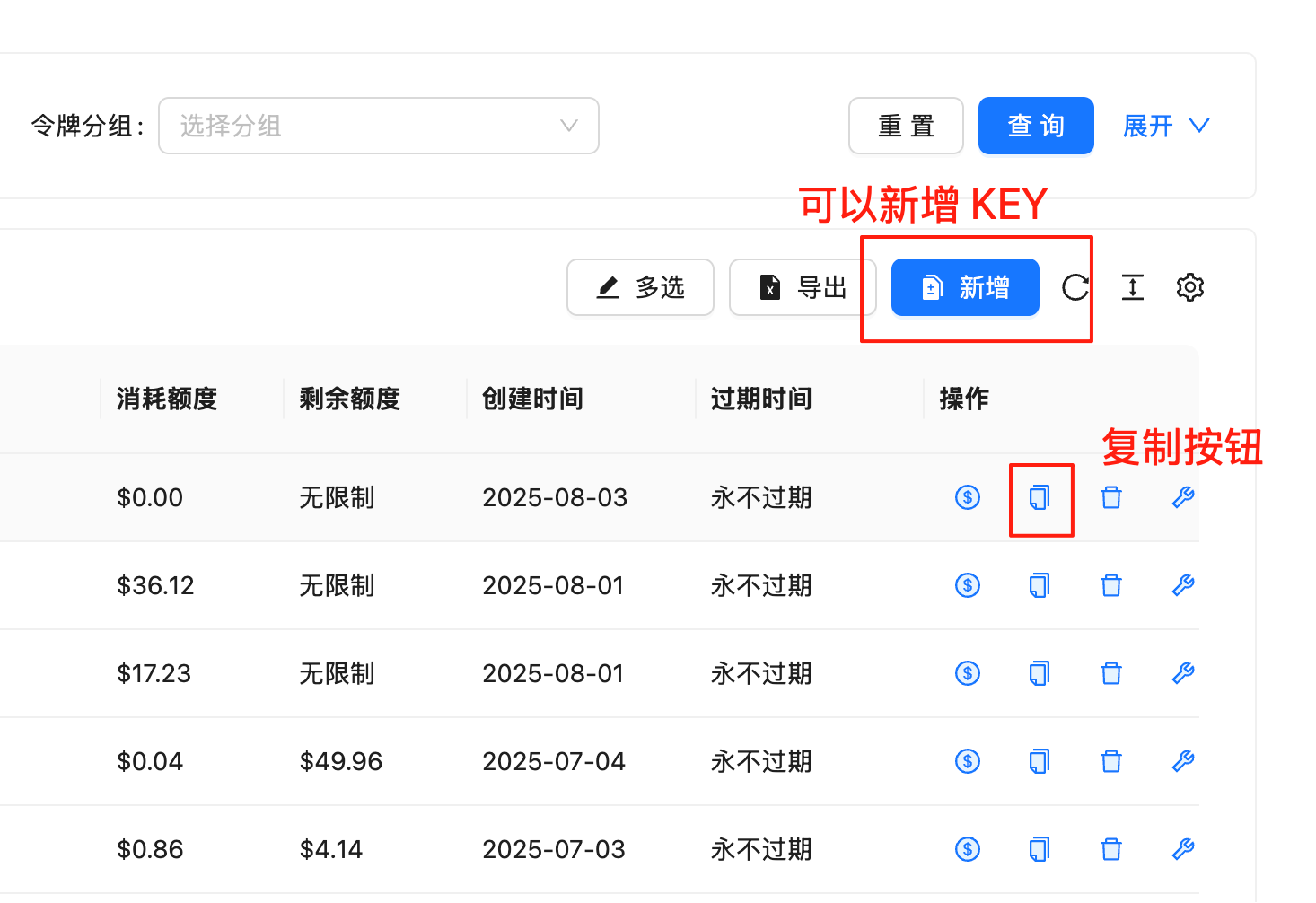
1. Go to "Tokens" page in top navigation: [https://api.apiyi.com/token](https://api.apiyi.com/token)
2. Find the default token on the page, click the management menu on the far right
3. Find the copy icon in the management menu and click to copy
4. Copy the complete KEY, which has the format starting with `sk-`
 ## Create New KEY
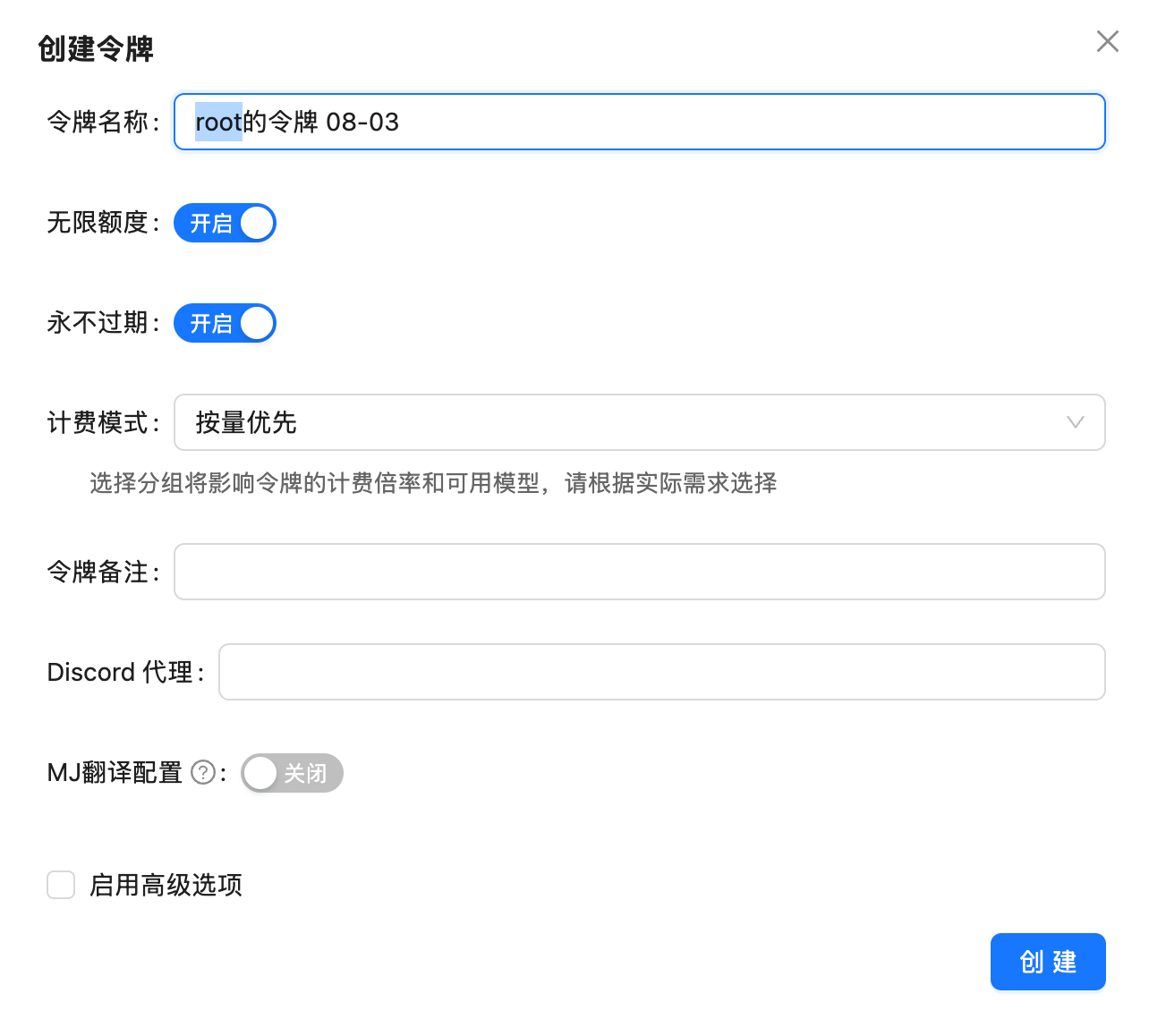
In addition to using the default token, you can also create new KEYs to precisely control usage permissions:
## Create New KEY
In addition to using the default token, you can also create new KEYs to precisely control usage permissions:
 ### Advantages of Creating New KEYs
* **Balance Control**: Can set dedicated balance limits for each KEY
* **Expiration Management**: Can set KEY expiration time
* **Flexible Allocation**: Suitable for team use or project isolation
**Important Note**: When creating a new KEY, **no need to set available models**.
Whitelist mechanism is used here:
* **If available models are set**: The KEY can only use specified models
* **If no available models set**: The KEY can use all 400+ models on the site
Recommended not to set available models, so you can enjoy access to all models.
## KEY Format Description
* All API KEYs start with `sk-`
* KEY length is usually 48-64 characters
* Please keep your KEY safe, do not share in public places
## Usage Recommendations
1. **Development Testing**: Use default token for quick development and testing
2. **Production Environment**: Create dedicated KEYs for production projects for easier management and monitoring
3. **Team Collaboration**: Create independent KEYs for different team members for convenient permission management
### Advantages of Creating New KEYs
* **Balance Control**: Can set dedicated balance limits for each KEY
* **Expiration Management**: Can set KEY expiration time
* **Flexible Allocation**: Suitable for team use or project isolation
**Important Note**: When creating a new KEY, **no need to set available models**.
Whitelist mechanism is used here:
* **If available models are set**: The KEY can only use specified models
* **If no available models set**: The KEY can use all 400+ models on the site
Recommended not to set available models, so you can enjoy access to all models.
## KEY Format Description
* All API KEYs start with `sk-`
* KEY length is usually 48-64 characters
* Please keep your KEY safe, do not share in public places
## Usage Recommendations
1. **Development Testing**: Use default token for quick development and testing
2. **Production Environment**: Create dedicated KEYs for production projects for easier management and monitoring
3. **Team Collaboration**: Create independent KEYs for different team members for convenient permission management