

Quick Integration
1. Get API Key
Visit APIYI Console to get your API key.2. Configure Model Provider
- Log in to Dify platform
- Click username > Settings
- Select “Model Provider” - choose OpenAI-API-compatible
- Select configuration method based on model type
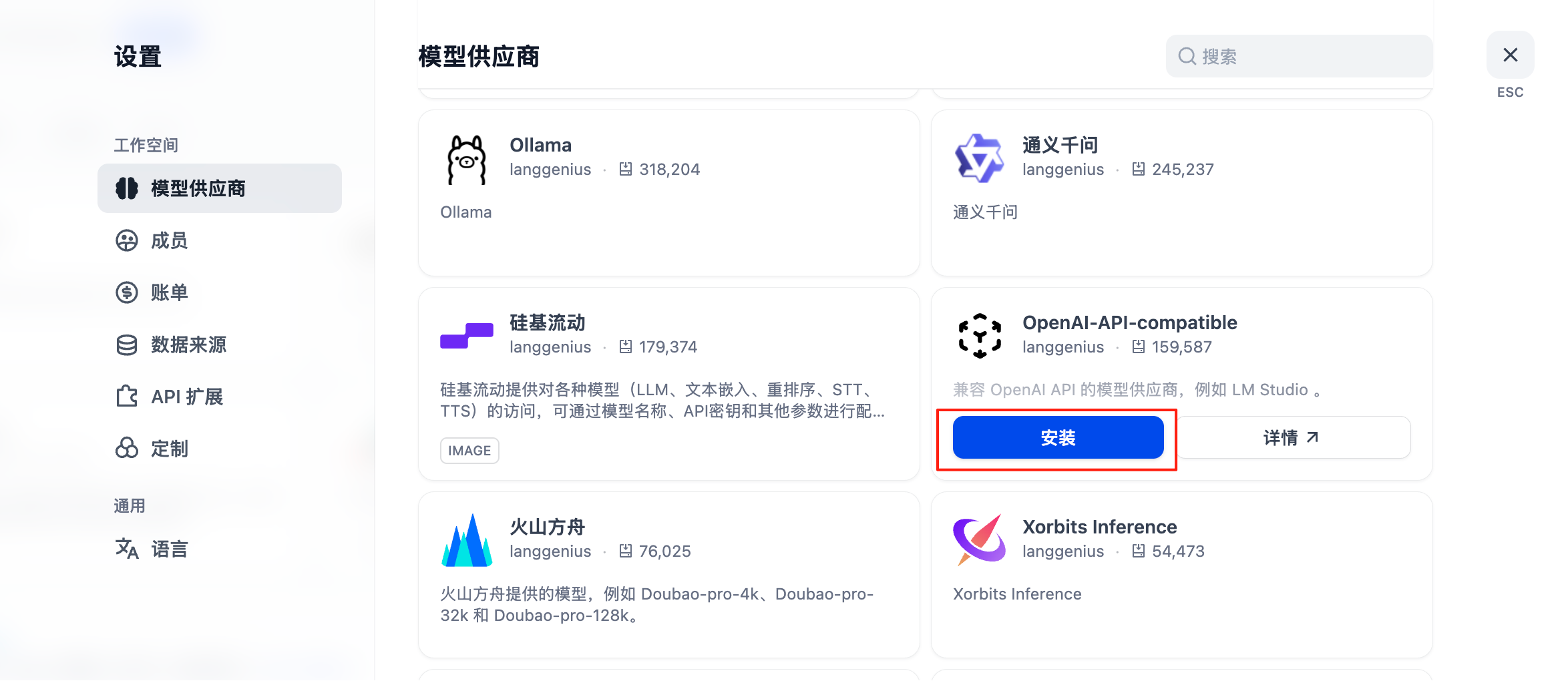
Configuration for All Models Including GPT, Claude, Gemini
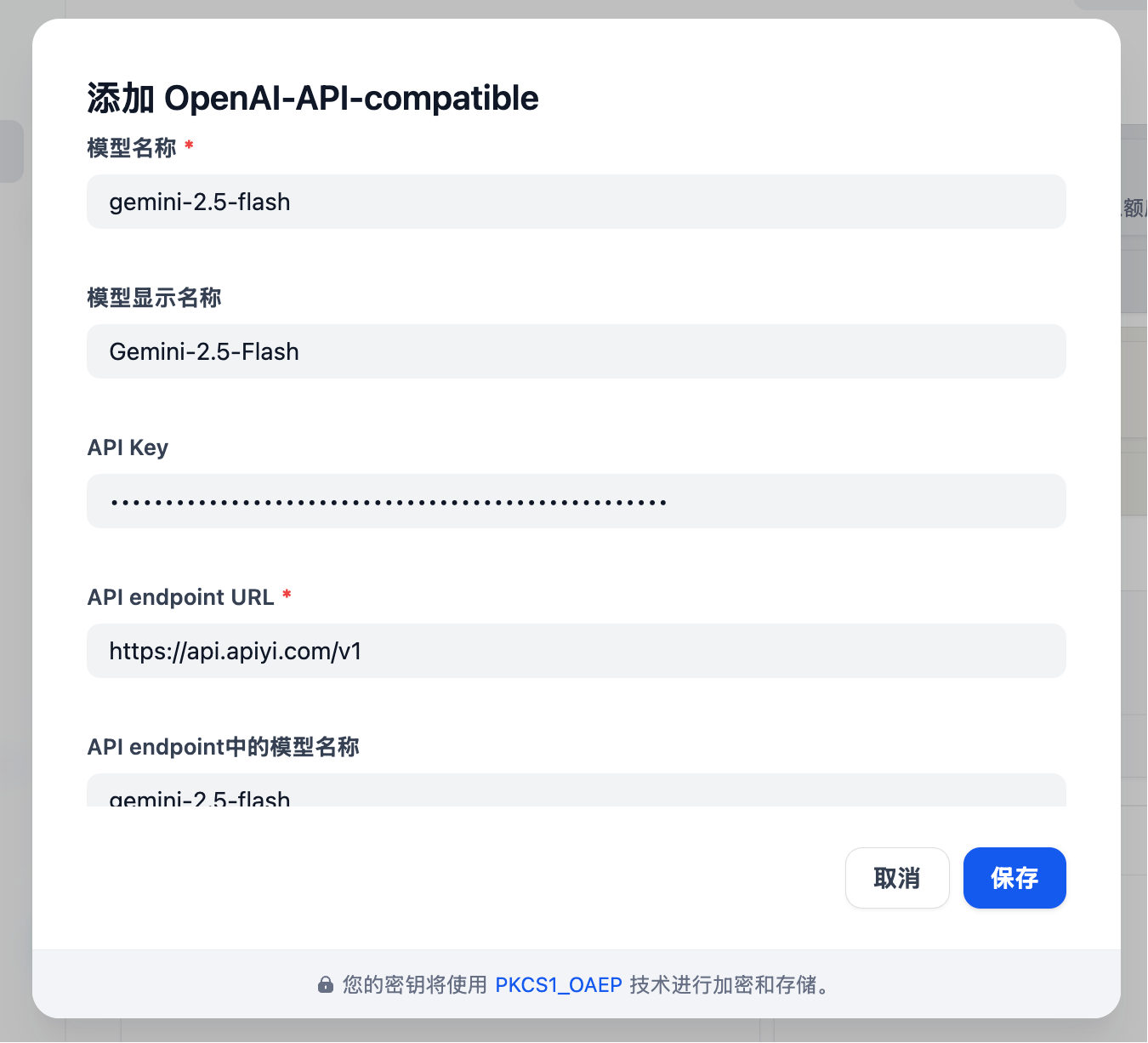
- Model Type: Select LLM type (first column, image omitted)
-
Model Name: Must enter the standard model name, not arbitrary
- Example: Enter gemini-2.5-flash instead of Gemini 2.5 Flash
- Model Display Name: Can be anything for easy identification, such as Gemini 2.5 Flash
- API Key: Enter APIYI key
-
API endpoint URL:
https://api.apiyi.com/v1 - Model name in API endpoint: Use standard name like gemini-2.5-flash
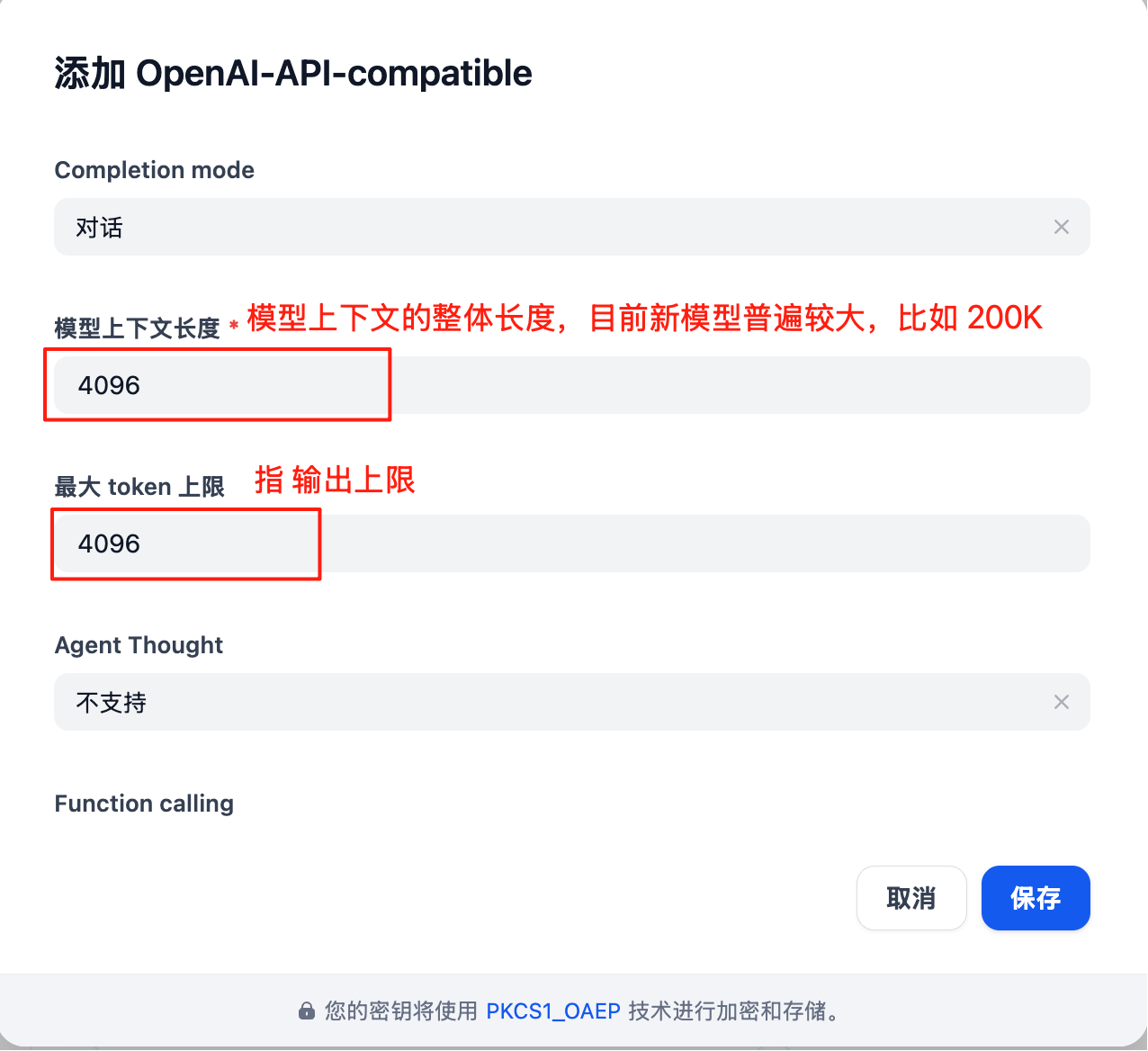
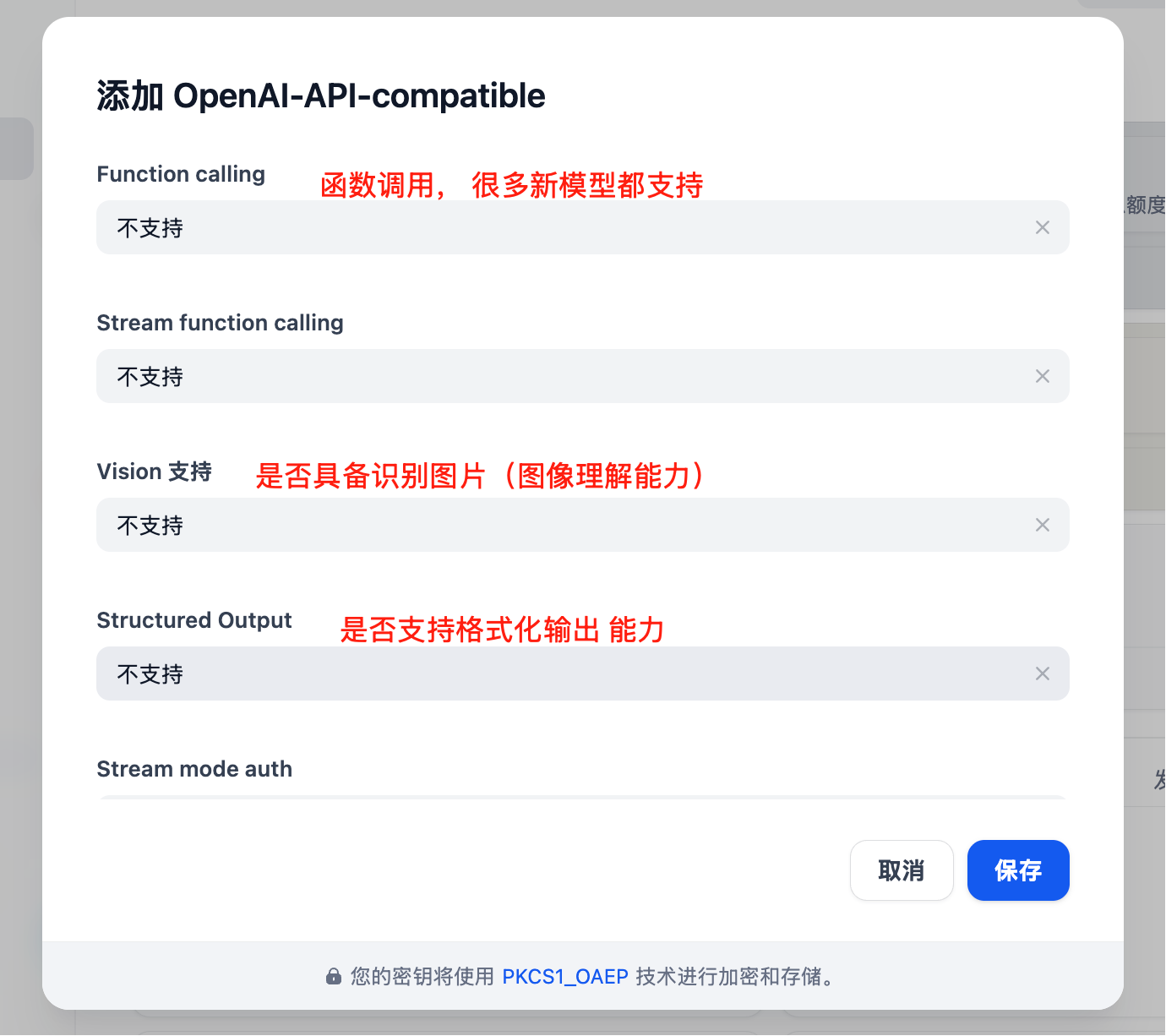
Core Features
Chat Assistant
Create intelligent chat assistants:- Select “Chat Assistant” template
- Configure system prompt:
- Select appropriate model (e.g., GPT-4)
- Adjust parameters:
- Temperature: 0.7 (balance creativity and accuracy)
- Max Output: 2000 tokens
Workflow Application
Build complex AI workflows:Knowledge Base Q&A
Integrate document knowledge base:- Create knowledge base
- Upload documents (PDF, Word, Markdown)
- Select embedding model:
text-embedding-ada-002 - Reference knowledge base in application
- Configure retrieval parameters:
- Retrieval count: 3-5 segments
- Similarity threshold: 0.7
- Reranking: Enabled
Application Types
1. Chat Assistant
2. Document Analysis
3. Code Assistant
Advanced Features
API Integration
Dify applications can be called via API:Batch Processing
Process large amounts of data:- Prepare CSV file
- Create batch task
- Configure processing template
- Execute batch task
- Export results
Multimodal Application
Supports mixed text and image processing:Model Selection Strategy
Selection by Scenario
Cost Optimization
Best Practices
1. Prompt Optimization
2. Workflow Design
3. Monitoring and Optimization
Regular checks:- User satisfaction feedback
- Response time statistics
- Cost usage
- Error rate analysis
4. Version Management
- Regularly backup application configuration
- Test new versions before release
- Keep multiple versions for rollback
Troubleshooting
Common Issues
Model Call Failure
- Check API key correctness
- Confirm sufficient account balance
- Verify network connection
Poor Response Quality
- Optimize prompt design
- Adjust model parameters
- Add context information
Performance Issues
- Select faster models
- Reduce output length limits
- Enable caching
Performance Optimization
Deployment Recommendations
Production Environment
Security Configuration
- Use environment variables to store sensitive information
- Enable HTTPS access
- Set access control
- Regularly update dependencies